Bring your video.
Add a local lesson, demonstration, or recording. Keep several videos together in a project, with a separate list of loops for each one.

Loopy · Video loop player for Mac
Some things take more than one watch. Loopy lets you mark a passage in a video, slow it down, and play it again. Keep your attention on learning a skill instead of finding the same few seconds.
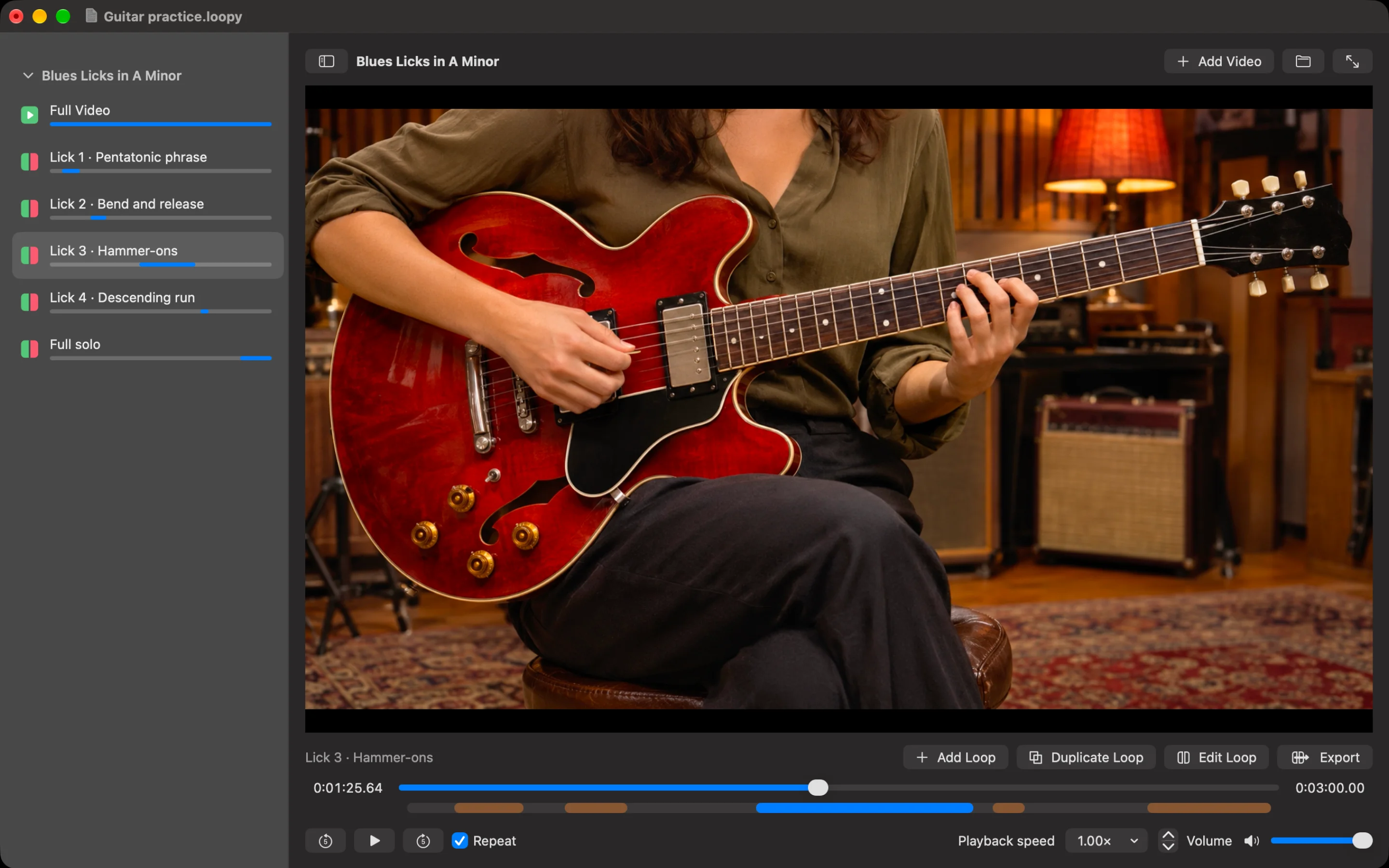
A simpler practice session
Add a local lesson, demonstration, or recording. Keep several videos together in a project, with a separate list of loops for each one.
Set the start and end of the section you want to study. Give it a name that means something to you, such as “Chorus fingering” or “Serve follow-through”.
Select a loop, turn on Repeat, and adjust the speed. Save your project to keep the passages and settings ready for your next session.
Built for close attention
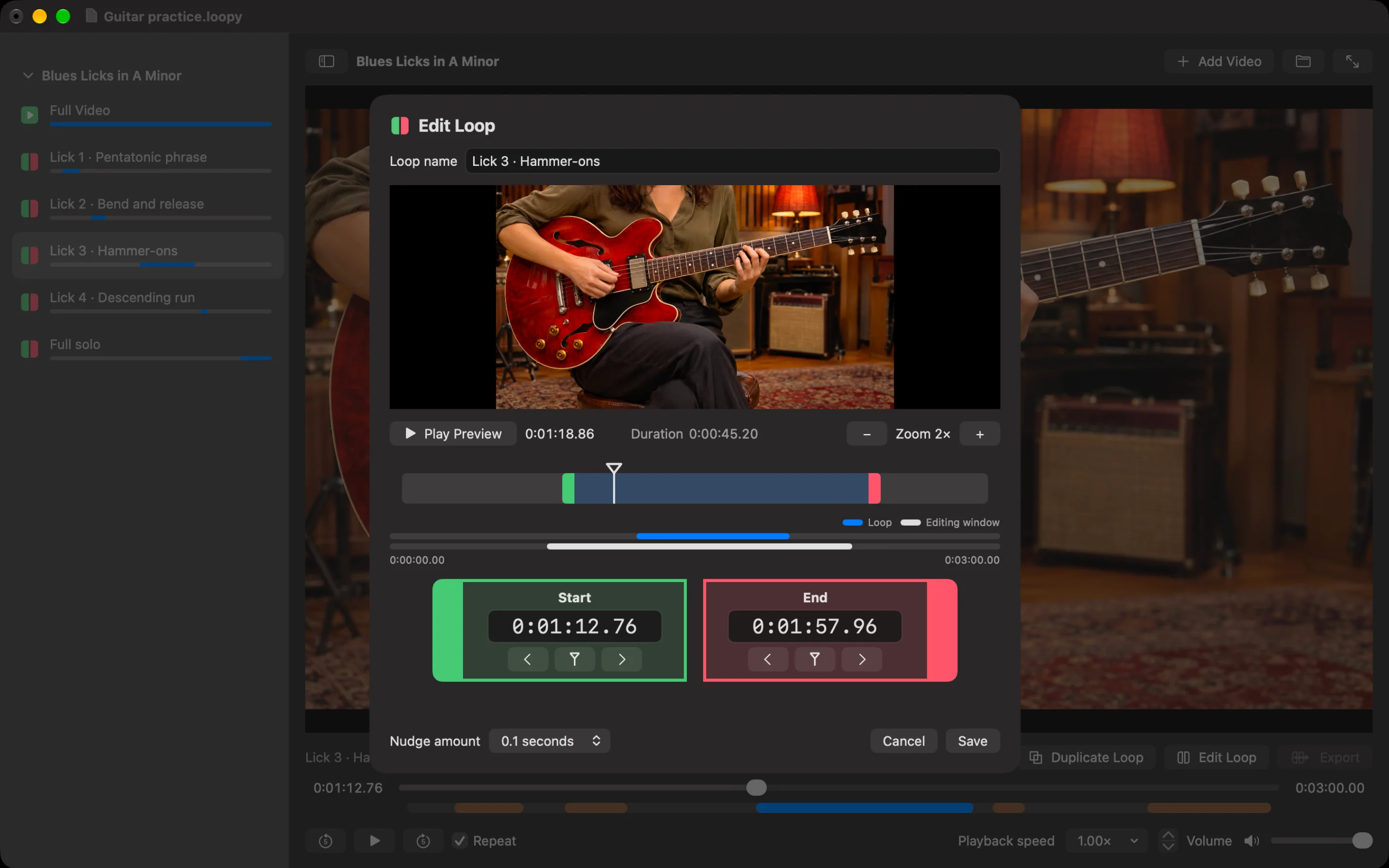
Drag start and end markers, enter timecodes, or nudge the boundaries. Zoom into the timeline and preview the passage before saving your changes.
Slow down a difficult movement or musical phrase. Adjust speed, volume, and mute from the player while keeping the video in view.
See where saved loops sit in the full video. Click a marked passage to select it, and switch between a focused loop and the full recording.
Keep multiple videos and named loops in one .loopy project. Duplicate a loop to try another range and drag loops into the order that suits your session.
Resize the player, collapse the sidebar, or use full screen. Keyboard controls keep common playback actions close at hand.
Projects reference your videos instead of bundling extra copies. Save explicitly when you want to keep changes, and reconnect moved videos with Locate Video.
Many ways to learn
Loopy started with learning music from video lessons. The same approach helps whenever a useful detail disappears before you have had time to understand it. These are ways to use its playback and looping tools with your own videos.
Repeat a riff, picking pattern, chord change, or solo from a saved lesson video. Slow the passage down and focus on what each hand is doing before returning to normal speed.
Revisit fingering, hand coordination, and voicing demonstrations. Keep separate loops for the left hand, right hand, and complete phrase so you can choose the part you need to practise.
Break a fill, sticking pattern, or groove into a short video loop. Watch the movement and listen to the timing repeatedly without searching back through the whole lesson.
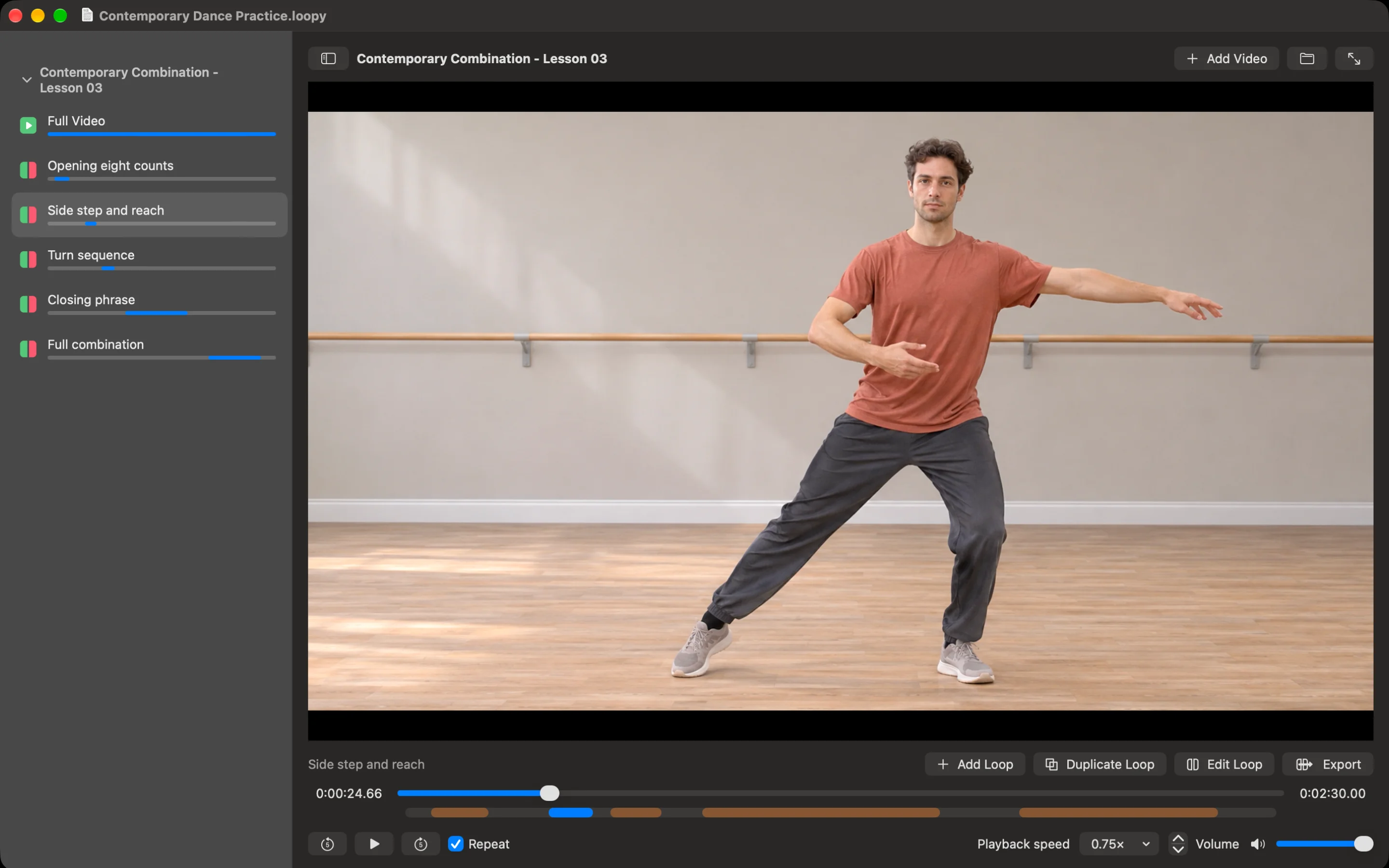
Learn a sequence a few counts at a time. Save named sections for footwork, transitions, and complete combinations, then slow playback while you follow the movement.
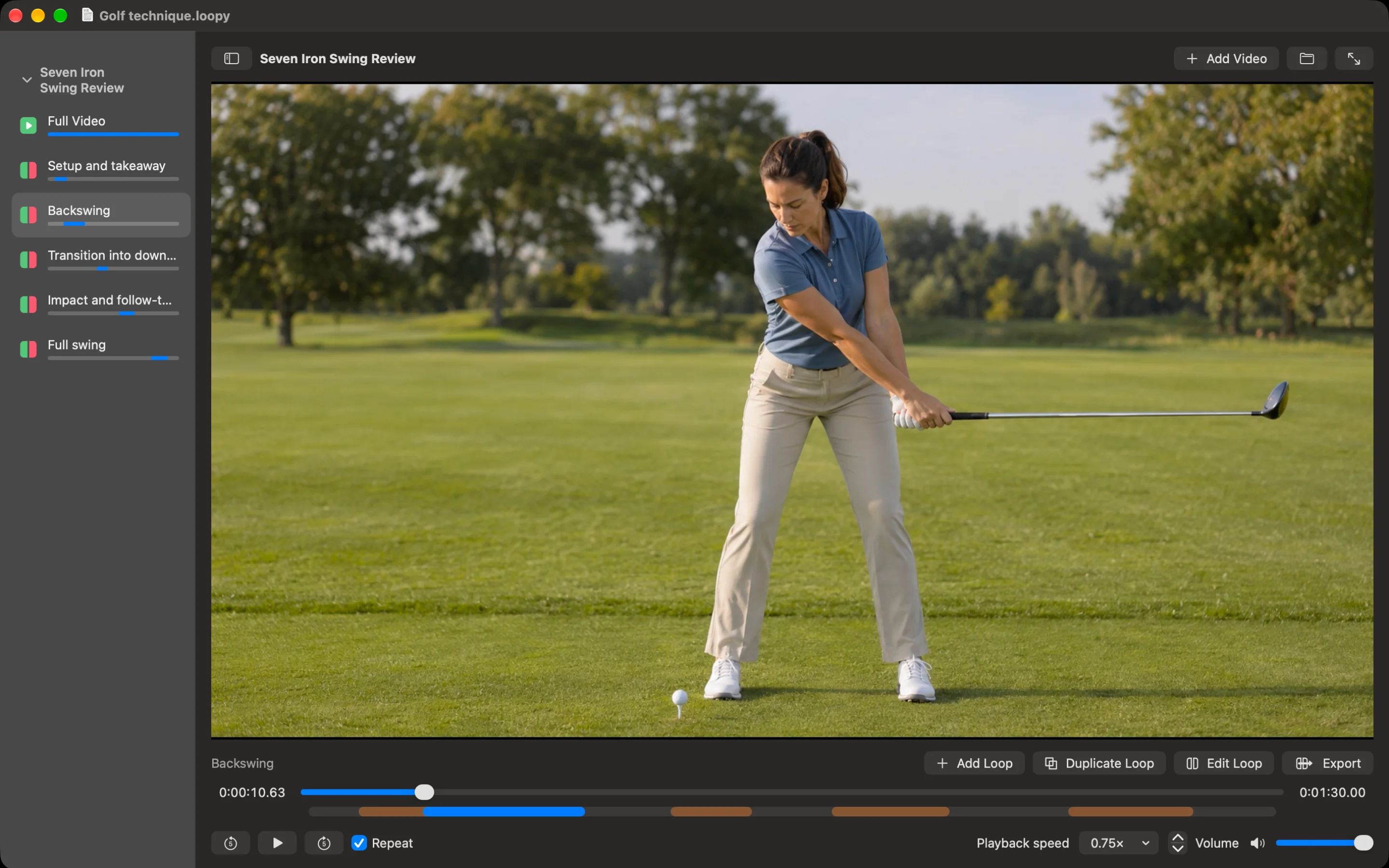
Study a golf swing, tennis serve, basketball shot, or skateboard trick in a video you have recorded. Replay the relevant movement at a slower speed to look more closely at positioning and timing.
Revisit an exercise demonstration, a yoga transition, or a mobility sequence. Keep the instruction you need ready to replay while you learn the movement.
Loop a sentence or short exchange from a video you have permission to use. Listen again, speak along, and revisit the rhythm, mouth movements, and pronunciation at your own pace.
Repeat a brushstroke, knitting stitch, sewing technique, or assembly step. A short loop keeps the demonstration in view while your hands are busy trying it.
Keep a tricky part of a local tutorial close by while you work in another window. Name loops after the steps you want to revisit, from a keyboard shortcut to a configuration sequence.
Review knife handling, dough shaping, piping, or another detailed technique. Save the useful part of a longer demonstration and watch it again without scrubbing back.
Study a gesture, delivery, or signed phrase in a recorded example. Use repeated playback to observe the sequence and compare it with your own practice.
Organise several videos in one project and mark the passages you want to discuss. Return to each example during a lesson, or export a short excerpt when you have permission to share it.
Beyond practice
Use Loopy to replay a saved product video at a market stall, in your studio, or during a presentation. Create separate loops for a full rotation, a close-up detail, or the complete showcase. Choose the passage, enable Repeat, and let it play while you talk.
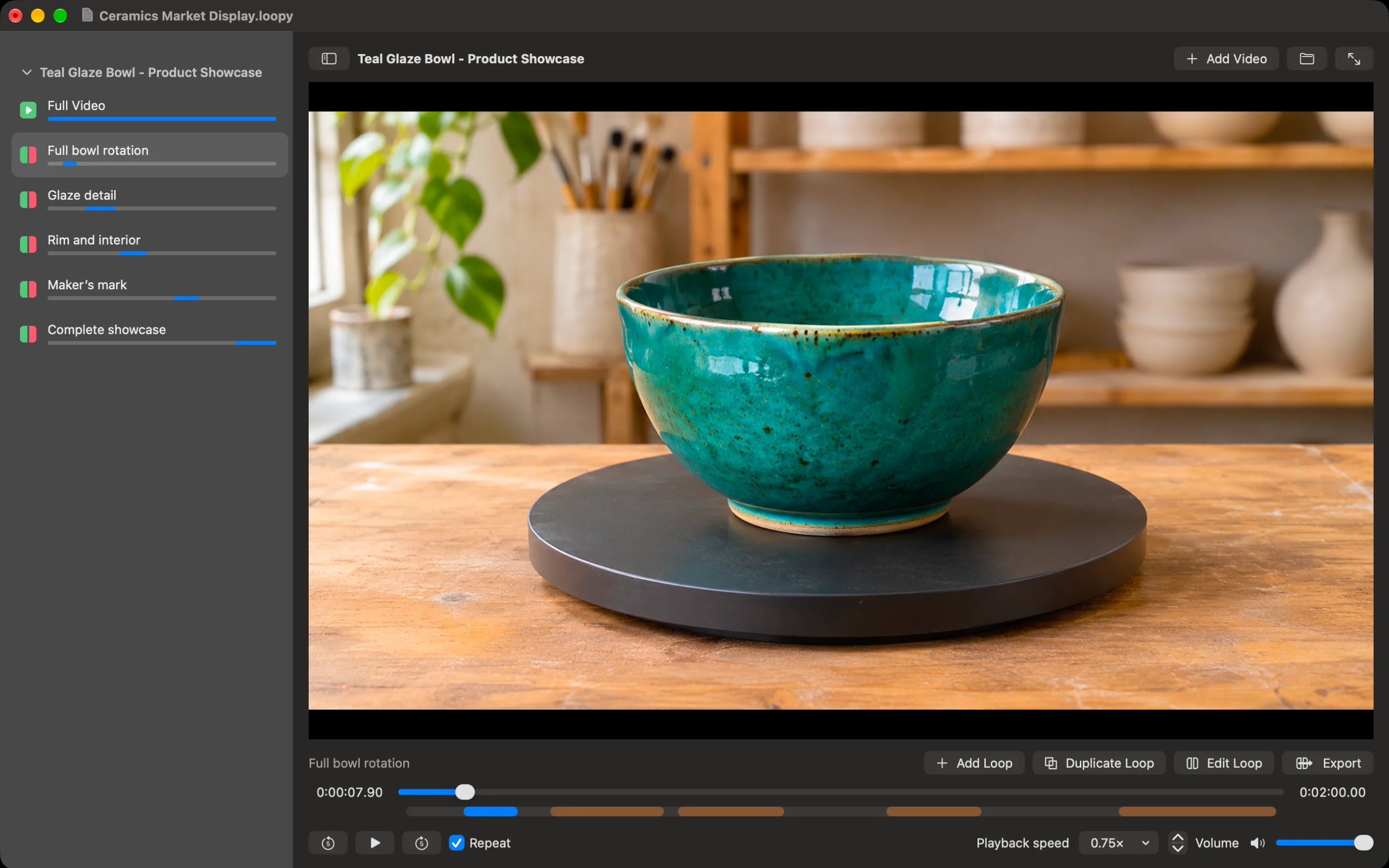
A useful extra
Export a selected loop as a separate video file, ready to open outside Loopy. It is a convenient way to keep a short demonstration or share an excerpt of your own recording.
Export uses the original speed and source encoding without re-encoding. It preserves the source container for supported files. Your playback speed, volume, and mute settings are not applied to the exported clip. Available cut points depend on the source, so this is a simple excerpt tool rather than a frame-accurate editing workflow.
Export only material you own or have permission to use and share.
Before you start
Loopy is a video loop player for Mac. It helps you learn from local videos by saving named passages, repeating them, and adjusting playback speed. It began with instrument practice and works with many kinds of demonstrations.
Loopy opens video files you select on your Mac. It does not download videos or play web links. Use your own recordings or video files you are authorised to use.
Loopy uses the video playback support built into macOS. Supported MP4 and MOV files are common starting points, but playback depends on the audio and video encoding inside the file. Not every file with those extensions will work.
Yes. Adjust playback speed to study a passage at a more comfortable pace. The playback setting is for watching and practising. Exported loops use the original speed.
No. A .loopy project stores references to your original videos, your loops, and saved playback settings. Keep the source videos available. If you move a file, use Locate Video to reconnect it.
Yes, for supported source files. Export saves the selected passage once at its original speed, using the source encoding and container without re-encoding. Playback speed, volume, and mute settings are not applied. Exact cut boundaries depend on the source media. There are no conversion or compression controls.
Loopy focuses on playback, loop organisation, and simple excerpt export. Use it to observe and practise. It does not add annotations, measure angles, compare videos side by side, or assemble an edited film.
Loopy is coming to the Mac App Store. The download link will appear on this page when it is available.
Loopy for Mac
Watch a passage, repeat it, and learn at your own pace. Loopy is a native Mac app for working with local video files.
Not yet available to downloadRead the Instinctive app privacy policy.
Questions? Contact Instinctive.
Also from Instinctive
Our chord and interval apps show what you are playing in real time, on Mac, iPad, and iPhone. Explore the suite.